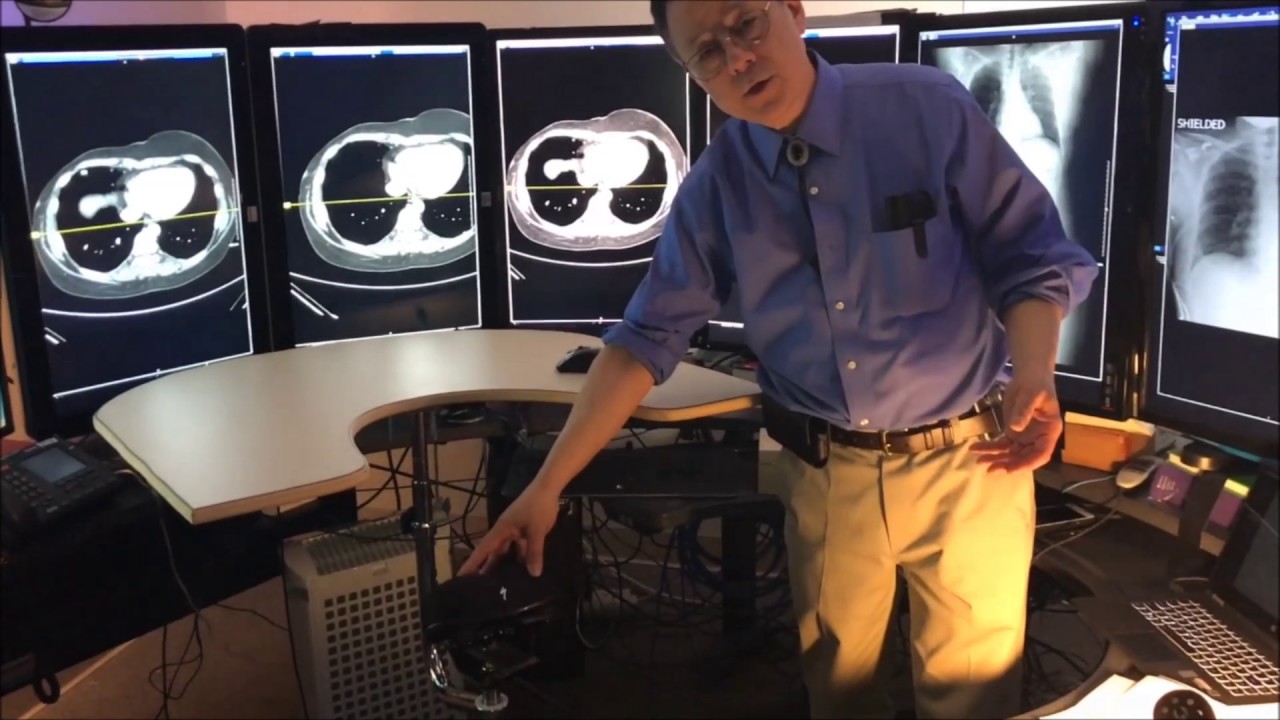

ERGOQUEST ZERO GRAVITY RADIOLOGY WORKSTATIONS

The main objective is to help radiologists—especially trainees—minimize fatigue and improve comfort and efficiency during image interpretation by providing flexible positioning options and expanded visual access.
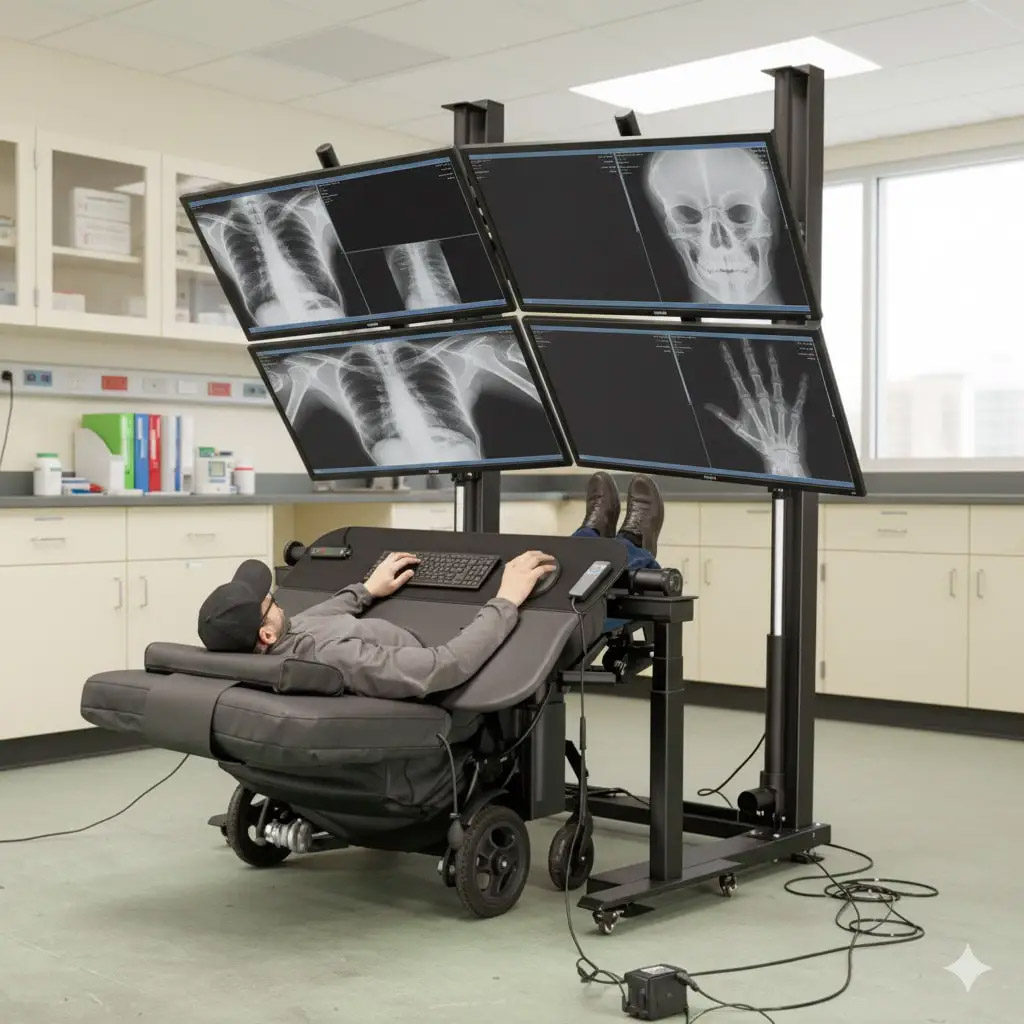
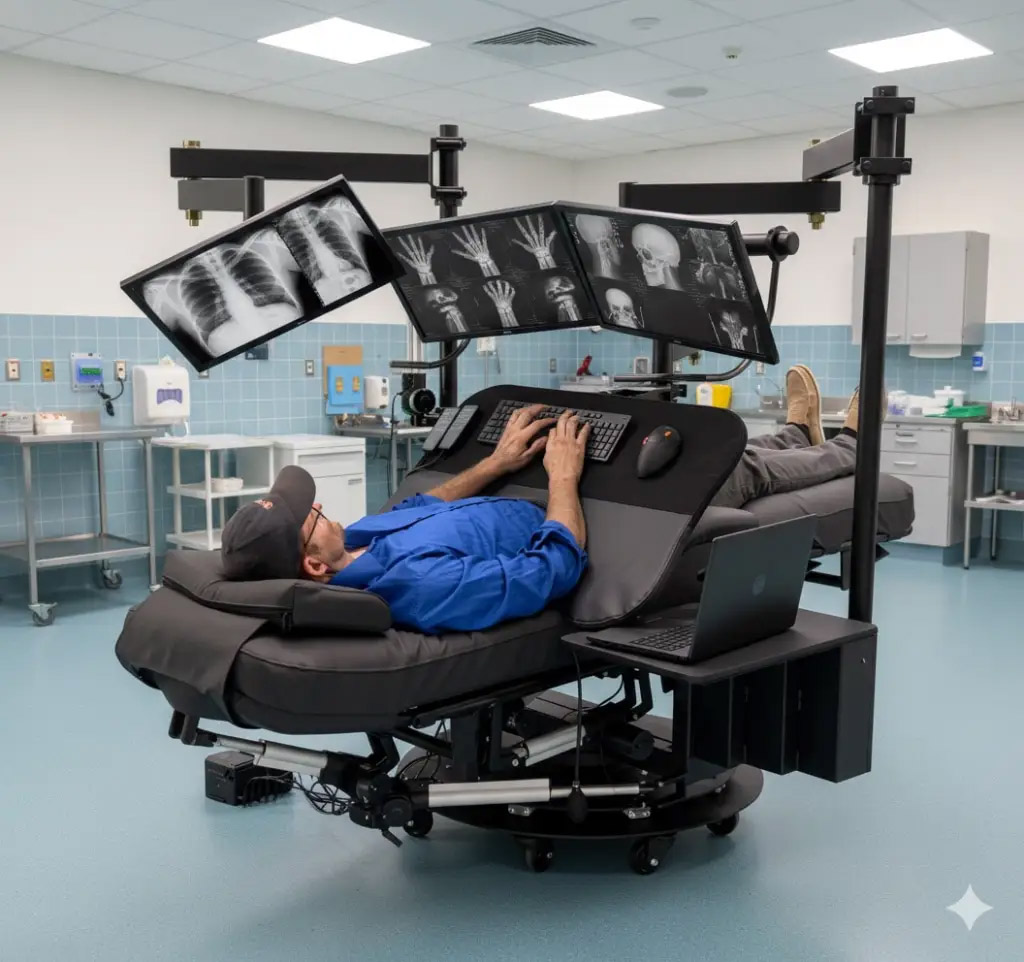
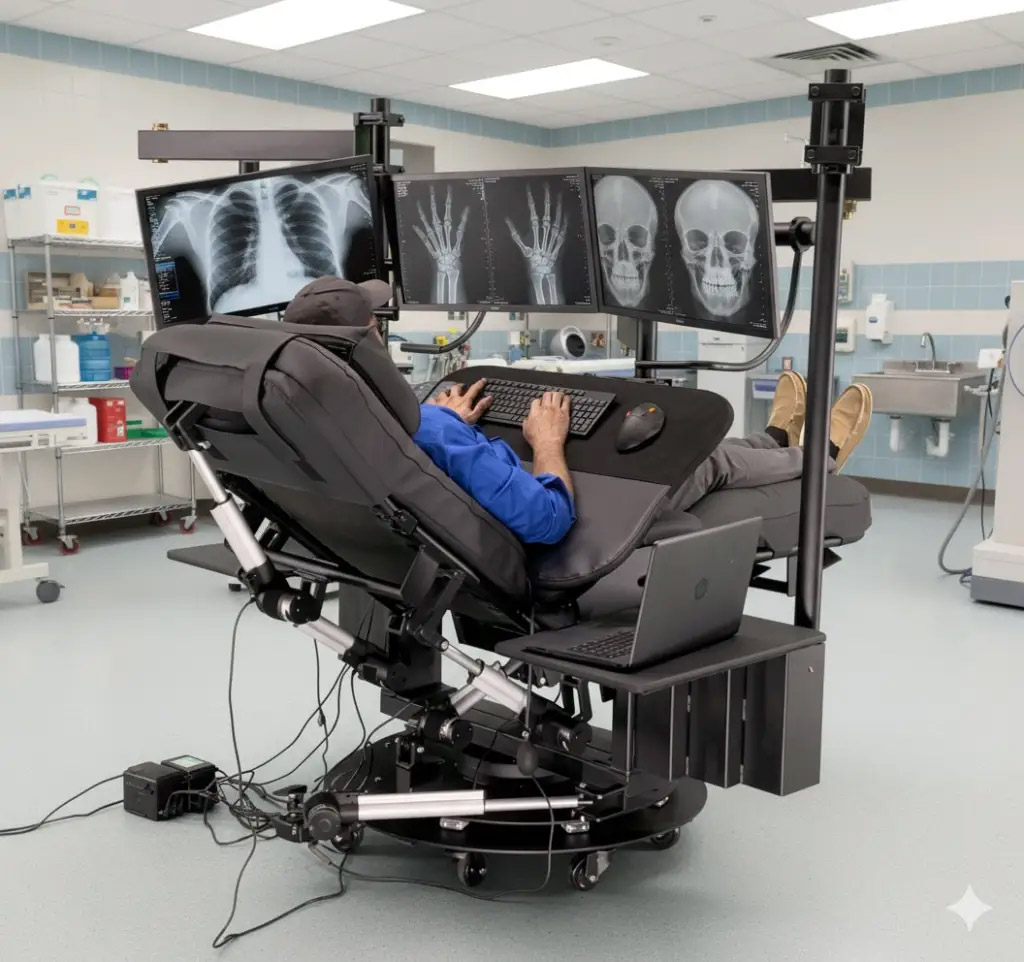
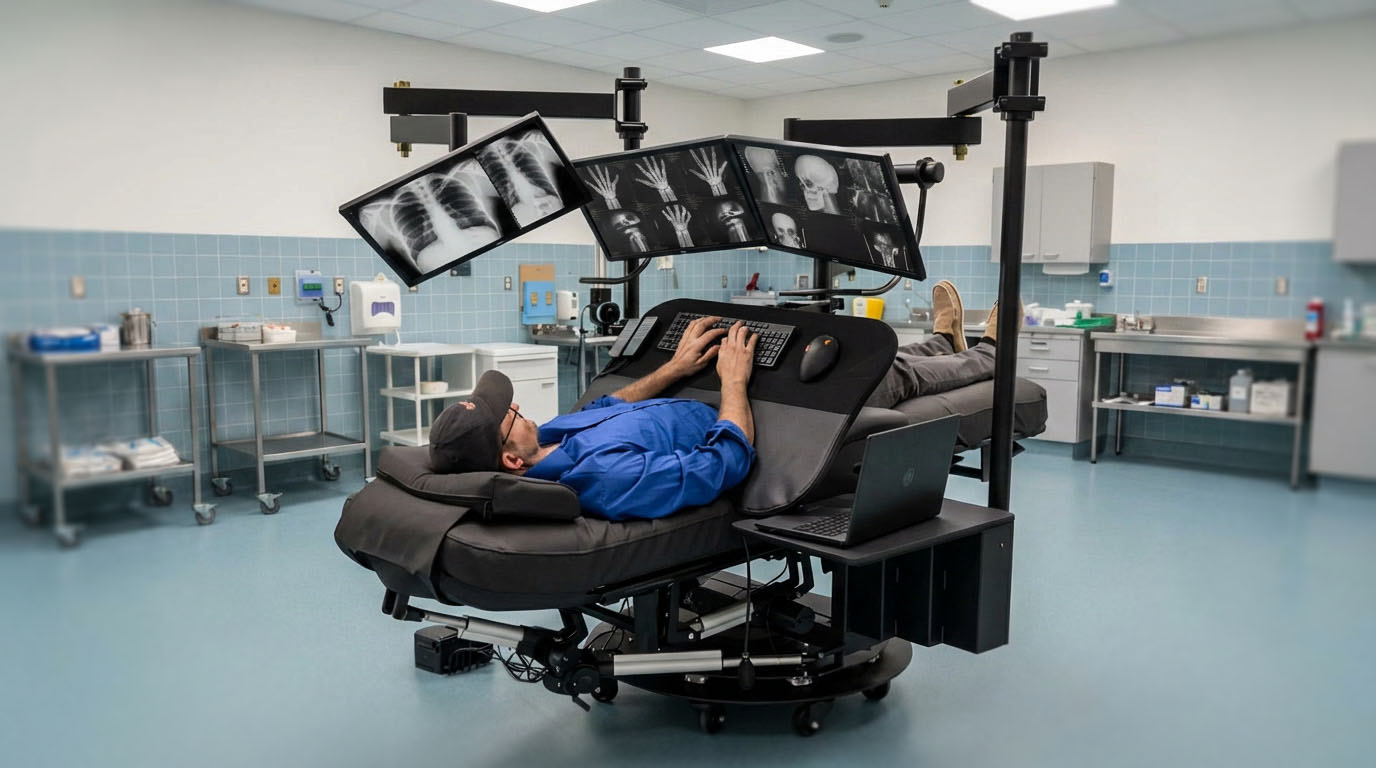
Rotational cockpit designs allow users to transition smoothly between sitting, standing, and perching positions. Both the desk and chair rotate together, supporting various working postures. An extended visual array increases display space so users can view more images and information at once while reducing physical stress. In-service workshops will teach radiologists how to use these movement options by navigating three distinct “visual sweet spots” within the expanded array, optimizing both comfort and image analysis.
The project will develop four prototype stations for clinical testing with feedback from residents. Radiology team members will receive hands-on training in movement strategies as they experiment with different workstation configurations. These prototypes are designed for easy transitions between postures so each user can find their optimal zones of comfort and visibility.
As an iterative research initiative, the station design will be refined continuously based on user experiences, clinical scenarios, and individual preferences. The study aims to identify which factors—such as rotational capability, display size, posture flexibility, or screen orientation—most effectively enhance comfort, efficiency, and performance across various clinical tasks.
Through collaborative experimentation and ongoing feedback collection during workshops, this project seeks to advance ergonomic workstation design in radiology settings. It aims to establish best practices for reducing strain while maximizing viewing flexibility. By involving residents early in ergonomic research efforts, the project supports healthier work habits that benefit both immediate productivity in clinical practice and long-term professional well-being.
FAQs
The goal is not only injury prevention, but sustained cognitive performance and reduced fatigue during long reading sessions. Our systems support dynamic sit–perch–stand positioning with synchronized chair, monitor, and keyboard movement so the eye–hand–screen relationship stays aligned as the user changes posture throughout the day.
New ergonomic features include adjustable lumbar support, motorized monitor tilt for both individual displays and full monitor arrays, motorized height-adjustable armrests, motorized keyboard trays, articulating footrests with calf support, and motorized recline systems that allow the workstation to move from upright to deeply reclined or near-flat positions.
We also incorporate padded wrap-around keyboard and mouse tray systems that support the elbows, forearms, wrists, and hands at customized angles to reduce static loading and repetitive strain.
Another important element is rotational movement. Instead of forcing the user to repeatedly twist the spine or reach awkwardly, the workstation creates a rotational field of work where monitors, inputs, and accessories remain within a natural sweep zone.
We are increasingly seeing radiologists ask not just for “better ergonomics,” but for work environments that help them sustain concentration, reduce burnout, and remain physically comfortable through high-volume image interpretation.
Rather than arranging monitors in a flat wall, we position displays in an arc that better matches the human visual field. This allows the primary diagnostic displays to remain directly in the optimal viewing zone while secondary displays — such as priors, EMR systems, communication tools, AI outputs, or dictation interfaces — remain just off-axis but still within effortless reach.
Each display can be independently tuned for height, tilt, and viewing distance, while the motorized mast raises and lowers the entire monitor array approximately 16 inches. Two-section articulating arms provide precise side-to-side and in/out positioning of both monitors and input devices.
As imaging datasets become larger and more complex, display geometry is becoming just as important as monitor resolution. We are seeing increased emphasis on keeping radiologists visually immersed without forcing excessive head rotation or repetitive neck movement.
Configurations can include task lighting, side tables, cupholders, CPU holders, USB hubs, AC power outlets, cable-management channels, laptop trays, heat and massage systems, camera mounts, microphone mounts, and acoustic/privacy elements.
The core platform can also be expanded using modular “pods” that support additional monitors, AI tools, advanced visualization systems, or specialized reading workflows.
The keyboard and mouse platform is available in multiple sizes and configurations, while seat cushions can be customized by size, color, foam type, thickness, and density. Monitor mounting systems can accommodate a wide range of display sizes and layouts, from compact home-reading configurations to large multi-monitor radiology environments.
One important trend is flexibility. Hospitals increasingly want spaces that can adapt quickly between emergency radiology, subspecialty reading, teaching environments, and hybrid work without redesigning the room each time.
Integrated features include motorized monitor height and tilt, motorized keyboard tray positioning, motorized seat, legrest, and backrest movement, adjustable headrests, integrated task lighting, cable management, power distribution, charging, and accessory mounting.
Lighting and acoustics are becoming especially important. We integrate tunable low-glare lighting and optional acoustic elements designed to support focus while minimizing visual fatigue and distraction.
Speech-recognition workflows, microphones, cameras, and collaboration tools can also be integrated directly into the workstation to support hybrid reading, conferencing, and AI-assisted workflows.
The objective is to create a clean, low-clutter environment where the technology fades into the background and the radiologist can remain focused on image interpretation.
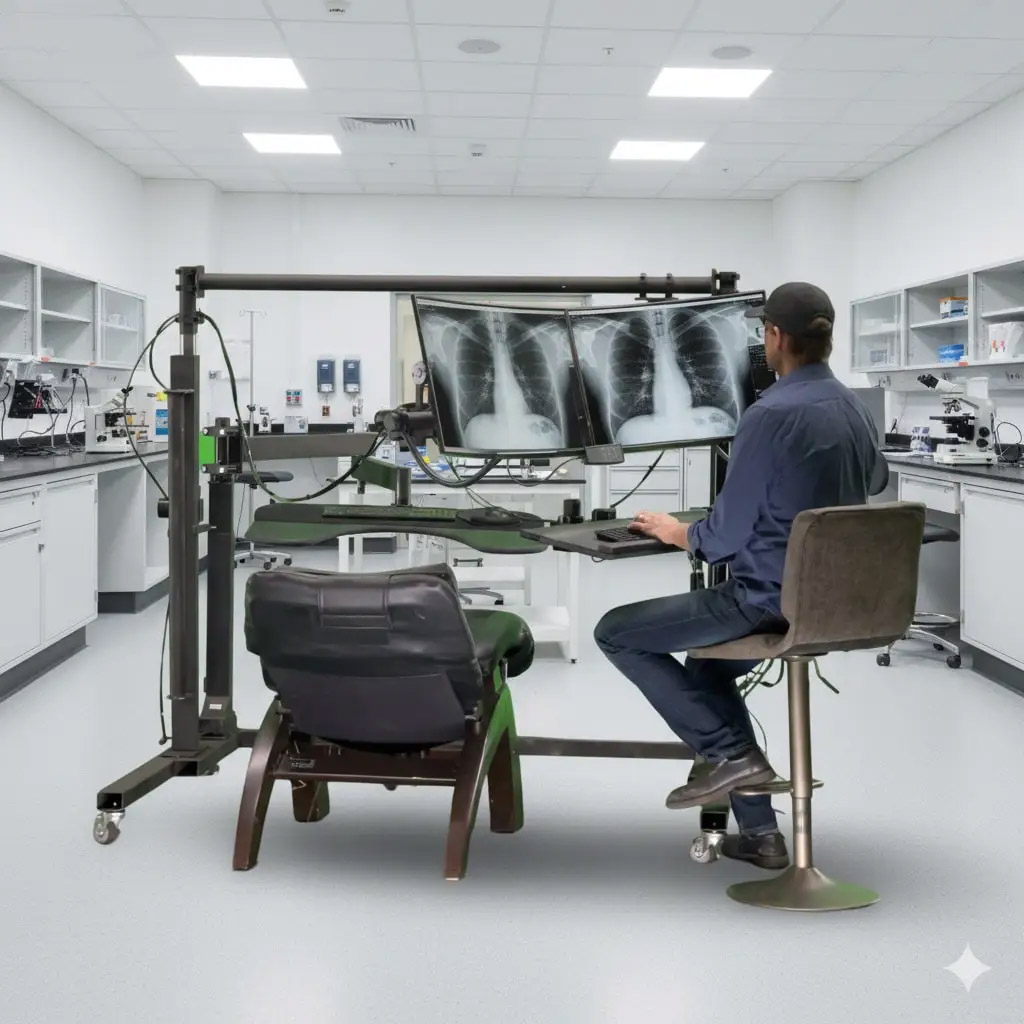
Our approach is to scale the same cockpit principles into smaller “micro-cockpit” systems designed specifically for home or hybrid reading. These systems use compact monitor arcs, adjustable arms, sit–stand functionality, integrated lighting, and optimized accessory placement so the home environment feels like a true diagnostic workspace rather than a temporary office setup.
We also offer lighter-weight and lower-cost systems that can support multiple large-format monitors while integrating with existing office chairs or recliners.
One of the biggest shifts in radiology over the past several years is that home reading is no longer viewed as temporary or secondary. Radiologists increasingly expect their home environment to provide the same ergonomic and workflow advantages as an institutional reading room.
We offer smaller, lighter-weight workstation systems on locking casters with quick-connect monitor mounts, docking systems, and modular accessories that allow the workstation to be reconfigured for different users or workflows.
The same platform may support a general radiologist one day, a subspecialist the next day, and a resident teaching workflow later that week.
We design the infrastructure so new technologies can be added cleanly without creating cable clutter or disrupting ergonomics.
As AI-assisted reading and advanced visualization continue to expand, workstation integration is becoming increasingly important because radiologists are interacting with more displays, more inputs, and more data streams simultaneously than ever before.
Customers are increasingly requesting dynamic posture support, more advanced monitor positioning systems, adjustable lumbar support, motorized headrests, deeper recline capabilities, improved elbow and forearm support, better acoustic control, and cleaner workflow integration.
There is also much stronger interest in monitor arcs designed around the visual field, especially as imaging datasets become larger and radiologists spend longer periods immersed in multi-display environments.
The broader trend is that radiology ergonomics is evolving from static office ergonomics into cognitive-performance ergonomics — designing environments that support focus, endurance, comfort, and long-term sustainability in a very demanding profession.
Photos
Videos