

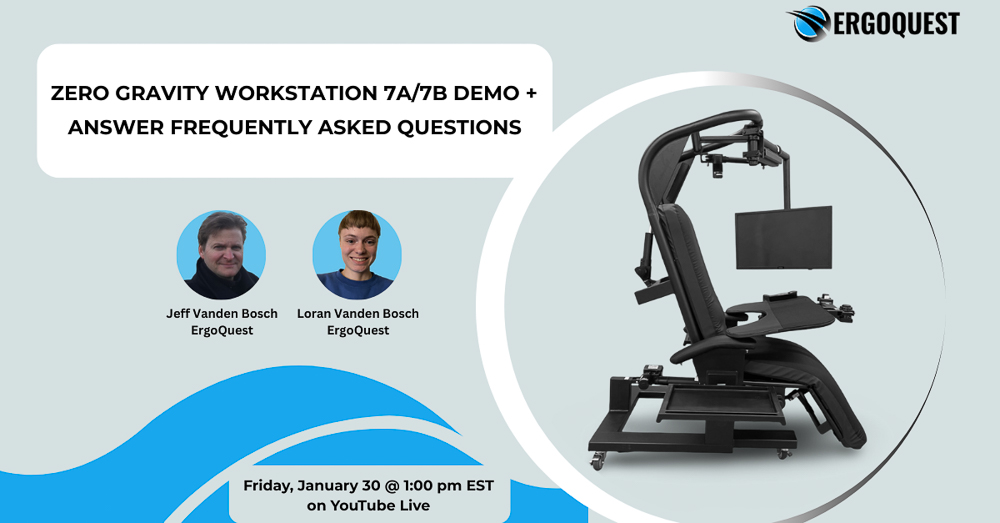
Zero Gravity Workstation 7b Livestream

The Zero Gravity Workstation 7b offers an unparalleled level of ergonomic comfort and functionality, designed to adapt seamlessly to your movements as you work. With its integrated recliner that tilts in unison with the chair, monitors, and keyboard tray, this workstation minimizes the need for reaching and pulling, reducing strain throughout your day. The motorized features allow you to recline fully flat, adjust the backrest and legrest effortlessly, and move monitors both in and out as well as side-to-side with precision. Built on a robust tube steel framework supporting multiple monitors and a padded wrap-around keyboard tray with memory foam cushioning covered in microfiber, the Zero Gravity Workstation 7b ensures maximum comfort during extended use. Additional conveniences like locking casters for stability, customizable lighting options, speaker bar accessories, and a motorized adjustable headrest further enhance the user experience. By integrating all these advanced adjustments into one cohesive system that remembers your preferred settings, the 7b workstation revolutionizes productivity while promoting health and well-being—making it an essential upgrade for any professional seeking efficiency without compromise.
Livestream Table of Contents:
01:02 – How much space is recommended for the Zero Gravity Workstation 7b?
01:45 – What is the weight capacity of the Zero Gravity Workstation 7b?
02:02 – What quantity of monitors can you put on the Zero Gravity Workstation 7b?
02:16 – Does the Zero Gravity Workstation 7b allow you to stand while working?
02:30 – Does the Zero Gravity Workstation 7b allow you to work fully reclined?
05:01 – What size of monitors can you put on the Zero Gravity Workstation 7b?
05:43 – What kind of attachments/add-ons can you get with the Zero Gravity Workstation 7b?
06:06 – What is the difference between the Zero Gravity Workstation 7b and the 7a?
09:40 – What one of our clients had to say about their Zero Gravity Workstation 7b
14:15 – When we released the Zero Gravity Workstation 7b
14:44 – How to change the monitor configuration on the Zero Gravity Workstation 7b
15:07 – How to mount the monitors on your workstation
15:27 – How to do cord management for your workstation
17:34 – Product Questionnaire – submit your answers to get a workstation recommendation!